Free · iPhone & iPad

Give every task its own timer.

TaskTimer Plus is a minimalist reminder app for the small stuff. Name a task ("wash the dishes", "check the laundry", "stretch"), pick how long it should run, and get notified when it's done. Run several at once. Look back at what you finished.
No account Works offline Free, no subscription
TaskTimer Plus — three live tasks with timers running on iPhone
Take the tour · Real screenshots

Three screens.
That's the whole app.

No onboarding flow, no walkthrough, no settings screen you have to fill in before you can use it. Open the app, you're already on the timers screen.

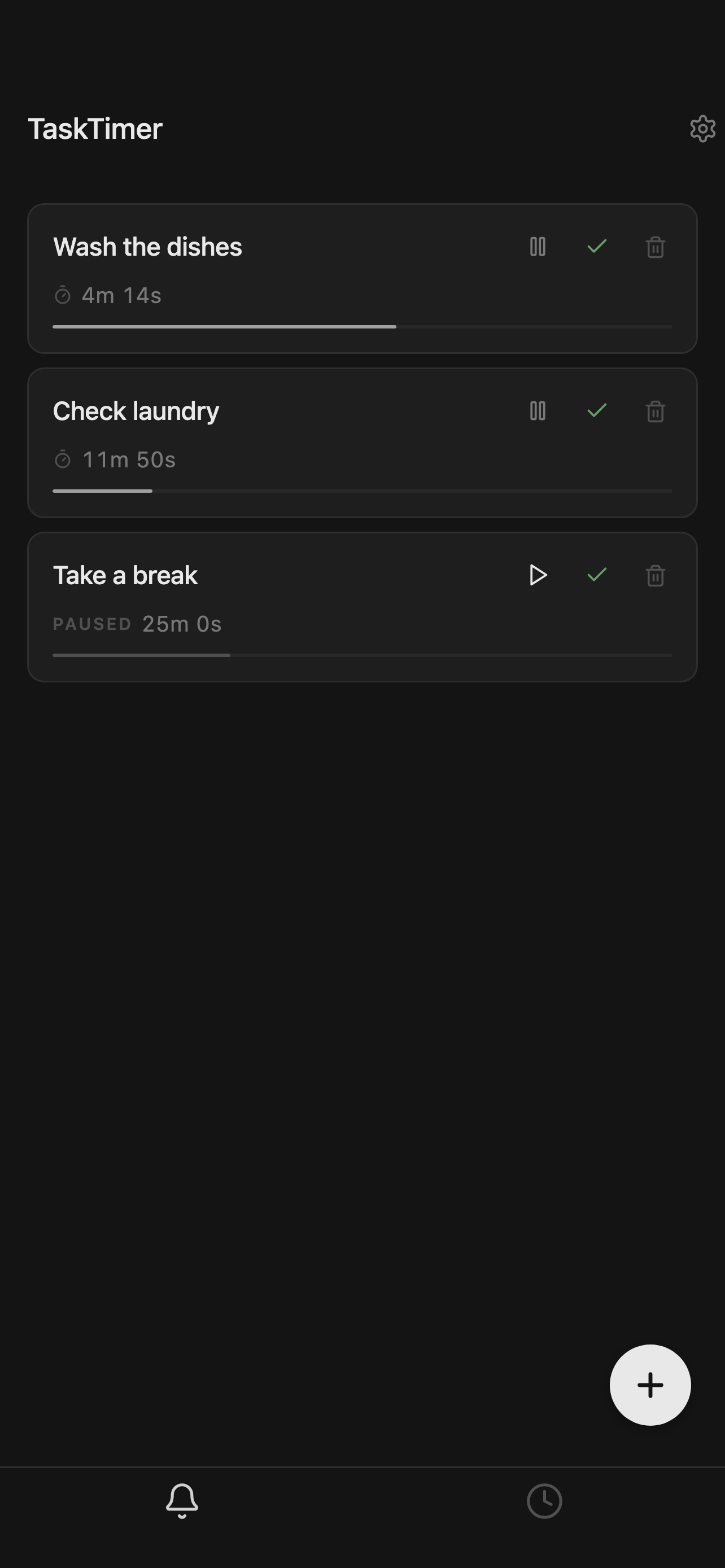
Active tasks screen with three running timers
01 — Timers

Your live tasks

Each task is a card: name on the left, progress bar underneath, pause/complete/delete on the right. Tap the play arrow to resume a paused one. Tap the green check when you're done.

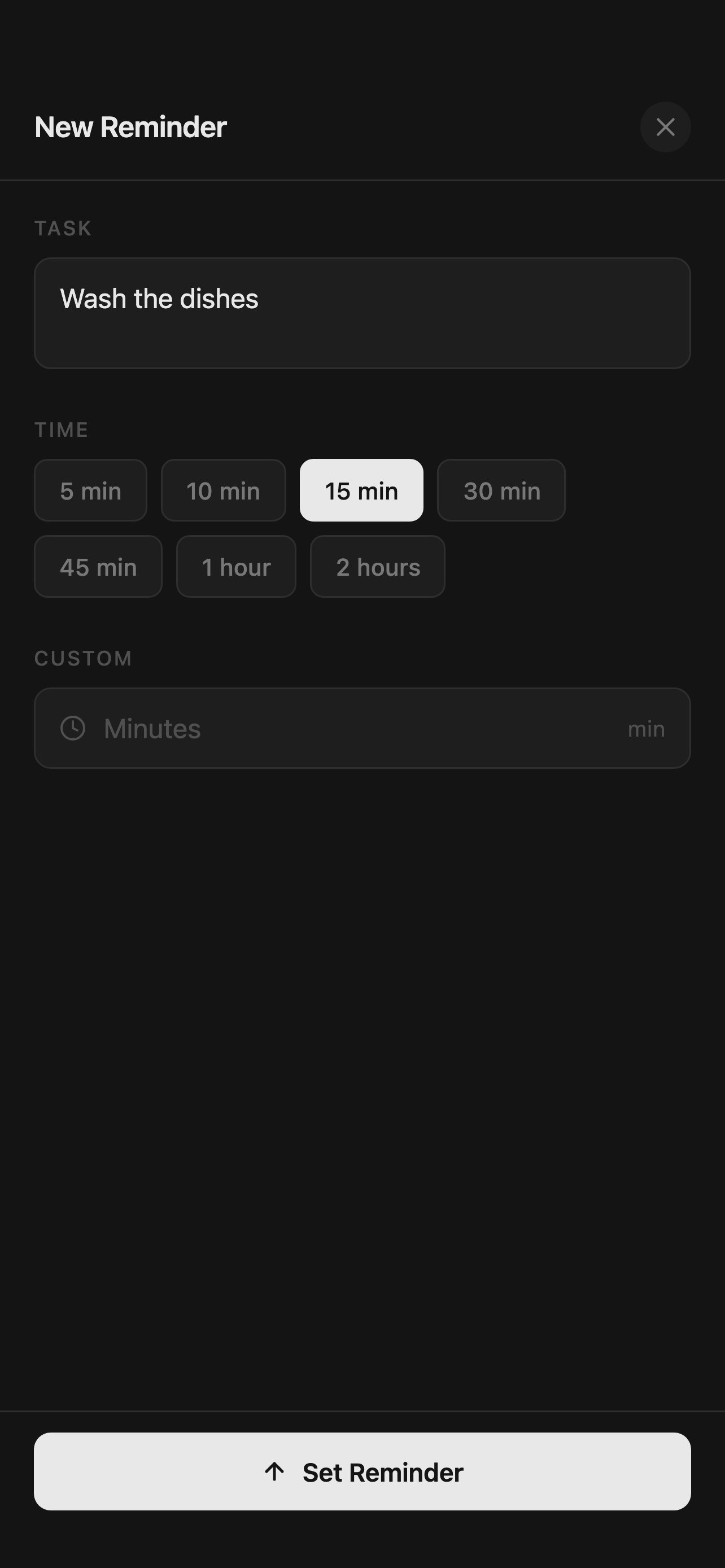
New reminder sheet with time presets
02 — New reminder

Add one in seconds

Tap the + button. Type the task. Pick from 5, 10, 15, 30, 45 minutes, 1 or 2 hours — or type any custom duration in minutes. One tap to set the reminder.

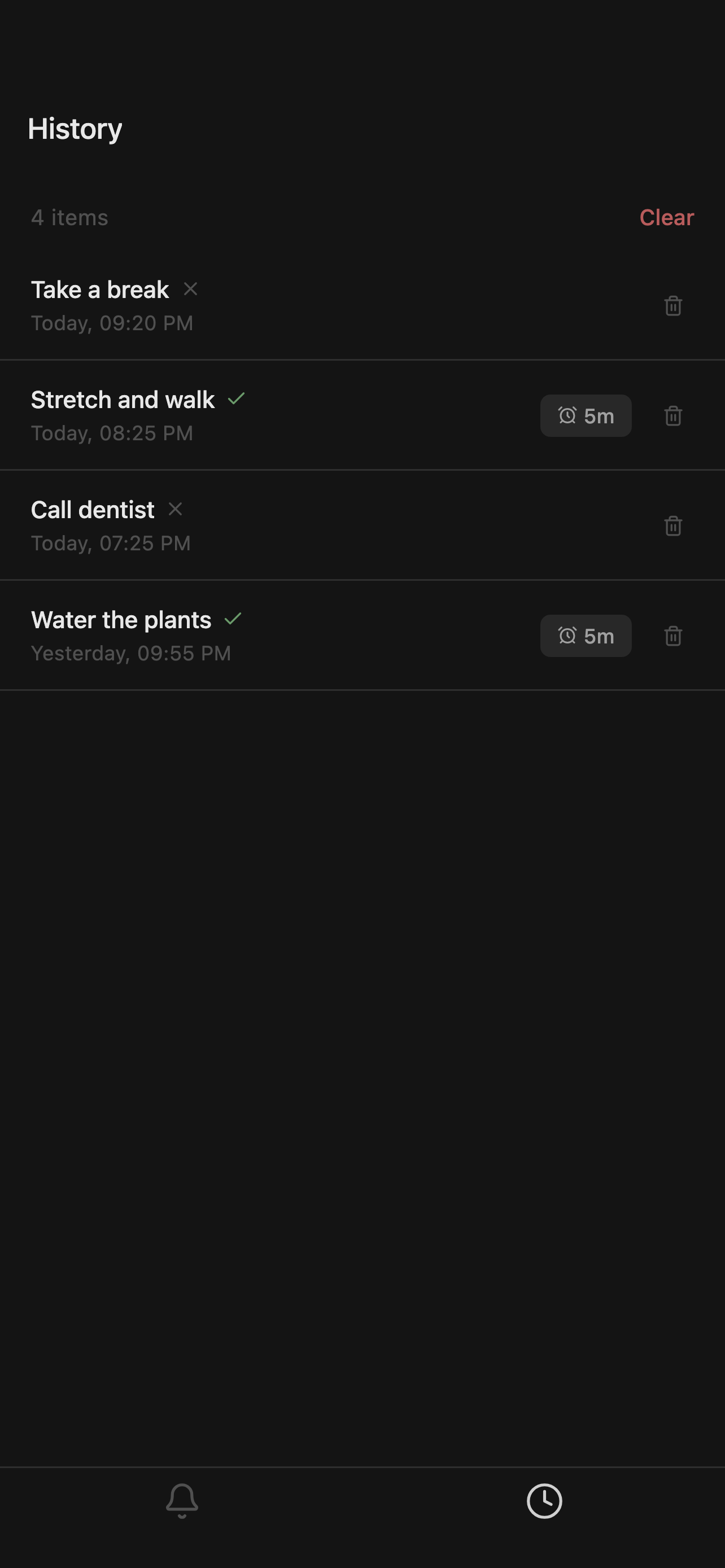
History screen listing completed and dismissed tasks
03 — History

Look back at what you did

A simple log of everything you finished or dismissed, with timestamps. Useful when you want proof of "I did stretch this evening, actually." Clear it whenever you want.

Why it's different

Not a productivity system. Just a better timer.

Most reminder apps want to become your entire life — projects, tags, repeating schedules, smart lists, AI suggestions. TaskTimer Plus refuses all of that.

It does one thing: it gives a real-world task a real-world duration and tells you when the duration is up. Five minutes to set, no learning curve, no upsell.

  1. 01

    Tasks have names

    Unlike a generic timer, you'll always know which countdown belongs to "the bread" and which to "the call."

  2. 02

    Stack as many as you want

    Three timers running at once is normal life. The app handles that without making you switch screens.

  3. 03

    Nothing to learn

    No onboarding, no projects, no folders. Open the app, tap +, type a name, pick a time. Done.

  4. 04

    A quiet history

    The History tab is the only "data" the app keeps — and it's local. Clear it when you want, or never.

Built for everyday

Quiet on the surface, solid underneath.

Everything a timer needs. Nothing it doesn't. No streaks, no points, no leaderboards, no nagging.

Named tasks

Every timer carries a label so you always know what it's for.

Seven quick presets

5, 10, 15, 30, 45 min, 1h, 2h — the durations you actually reach for.

Custom durations

Need 3 minutes or 17? Type any minute value and go.

Multiple in parallel

Run several tasks at once — bread proving while the kettle's on.

Background alerts

System notifications fire even with the app closed or the screen locked.

Offline-first

No internet needed. The whole app runs locally on your device.

Privacy

Nothing leaves your device.

TaskTimer Plus has no server, no account, and no analytics of its own. Ads are served by Google AdMob, which has its own privacy policy. The only system permission used is notifications — so we can alert you when a timer ends.

Account requiredNone
Servers we operateNone
Analytics we runNone
Permissions usedNotifications
Ads served byGoogle AdMob
Data soldNever
TaskTimer Plus app icon

Free. Forever. On the App Store.

Available for iPhone and iPad. No setup, no upsells, no nonsense.

iOS 16 or later · iPhone & iPad